Free for people. Paid for companies.
Your own laptop costs nothing. A fleet gets one view.
Free covers your laptop. Team covers the fleet.
| What you get | Free | Team Early access |
|---|---|---|
| Runs on your laptop, nothing leaves it unless you click Share | Included | Included |
| The full report | Included | Included |
| Mac and Windows | Included | Included |
| One view of every laptop | Included | |
| Which laptops to replace, and when | Included | |
| CSV export and a procurement report | Included | |
| Price | Free | At launch |
| Get SizeMyLaptop for Mac | Request early access |
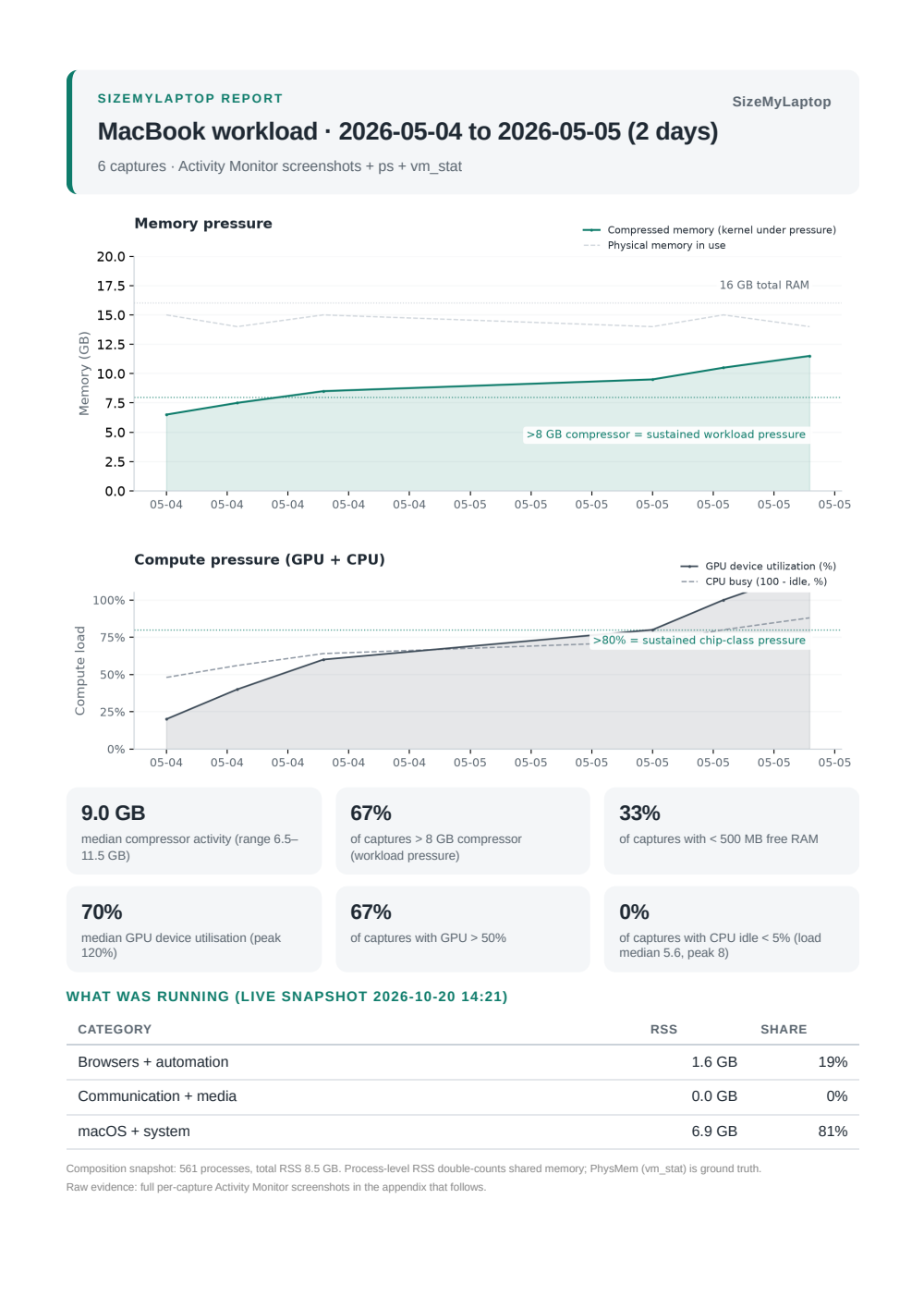
Free gives you the full report.
One report in your browser, built on your laptop. Print it for a PDF.
Team shows every laptop at once.
Each laptop gets its own answer, in one list.
- MacBook Pro 14-inch, 24 GBRight-sized
- MacBook Air 15-inch, 16 GBUpgrade to 24 GB
- MacBook Pro 16-inch, 64 GBMore than you need: 32 GB is enough
- MacBook Air 13-inch, 8 GBToo close to the limit to judge
Neither plan uploads your measurements.
Comes in at setup
- Three files from sizemylaptop.com
- Each checked against its SHA-256 fingerprint
- Installs nothing else: no pip, no password (needs Python 3)
Stays on your laptop
- A reading every 30 minutes
- The charts and the report
- Nothing about which apps you run
Uploaded: nothing. Accounts: none.
Leaves only if you share it
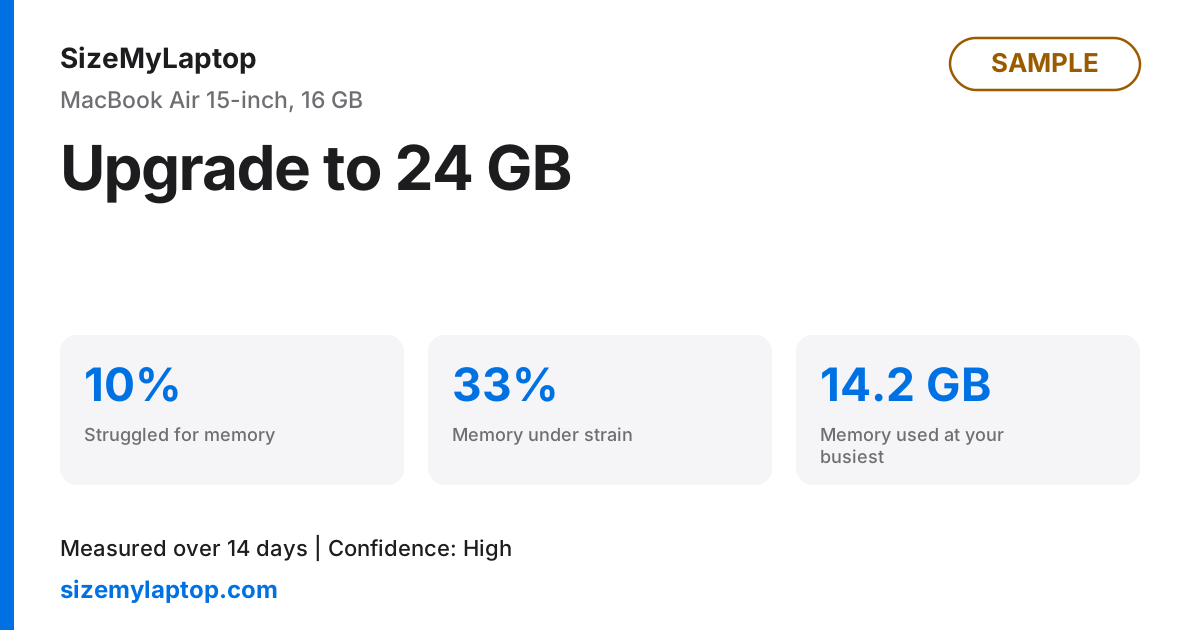
The answer and three numbers. No program names.
Request early access.
You are on the list.
We will write to when early access opens.